 macOS defaults
Key held down behavior
Allows you to select the behavior when a key is held down for a long time. The two possible behaviors are:
- show character accents menu (default)
- repeat character while key held
⚠️ Restarting the Mac, closing the session or restarting the application is necessary to take into effect the changes.
- Tested on macOS:
- Ventura
- Monterey
- Big Sur
- Parameter type: bool
Set to true (default value)
By default, when a key is held down, the accents menu is displayed.
bash
defaults write NSGlobalDomain "ApplePressAndHoldEnabled" -bool "true"defaults write NSGlobalDomain "ApplePressAndHoldEnabled" -bool "true"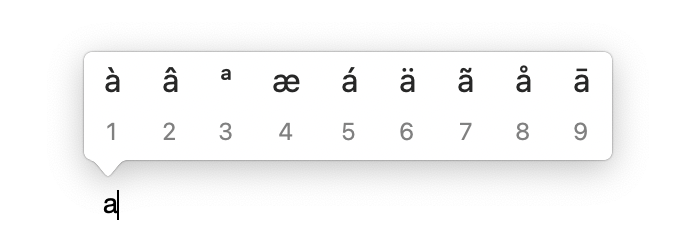
Set to false
Repeats the key as long as it is held down.
bash
defaults write NSGlobalDomain "ApplePressAndHoldEnabled" -bool "false"defaults write NSGlobalDomain "ApplePressAndHoldEnabled" -bool "false"
Read current value
bash
defaults read NSGlobalDomain "ApplePressAndHoldEnabled"defaults read NSGlobalDomain "ApplePressAndHoldEnabled"Reset to default value
bash
defaults delete NSGlobalDomain "ApplePressAndHoldEnabled"defaults delete NSGlobalDomain "ApplePressAndHoldEnabled"